
XCIPTV Player: Professional Setup for Opplex TV Subscribers
Official 2026 Guide for Pakistan
XCIPTV Player: The Professional Choice for Opplex TV
XCIPTV is the preferred choice for users who want a professional, 'Set-Top Box' feel on their Android TV or Amazon Firestick. Combined with Opplex TV's premium infrastructure, it delivers an unmatched home cinema experience in 2026. This application has undergone significant updates to handle the massive library of Opplex TV, which now exceeds 15,000 channels and a vast VOD collection. The 'Tile' interface is not just about looks; it's about accessibility. Users can quickly toggle between categories using a D-pad, making it far superior to list-based players for large-screen environments.
Why XCIPTV? It features an intuitive dashboard, built-in EPG, and high-speed data syncing that works flawlessly with our Anti-Freeze 6.0 local servers. In Pakistan, where internet quality can vary by neighborhood, having a player that caches EPG data and stream metadata locally is a game-changer. It prevents those annoying 'Loading...' screens when browsing through your favorite channels like PTV Sports, Geo Super, or international news networks. The built-in player engine supports multiple formats including HLS and MPEG-TS, ensuring compatibility with all Opplex TV streams.
Optimizing for Pakistan: Discussing network performance is essential for any serious Opplex TV subscriber. In Karachi, Lahore, and Islamabad, networks like PTCL Flash Fiber, StormFiber, and Nayatel have revolutionized streaming. However, XCIPTV takes this a step further by offering advanced buffer control. We recommend setting your buffer up to 10 seconds for 8K supported Opplex TV lines to provide a rock-solid experience. Furthermore, the importance of a wired Ethernet connection cannot be overstated. While Wi-Fi 6 is capable, a physical Cat6 cable remains the gold standard for latency-sensitive tasks like watching live T20 cricket or high-stakes football matches. If you are using a Xiaomi Mi Box, Nvidia Shield, or an Amazon Firestick 4K Max, XCIPTV's hardware-level decoding will provide the smoothest 60fps output possible.
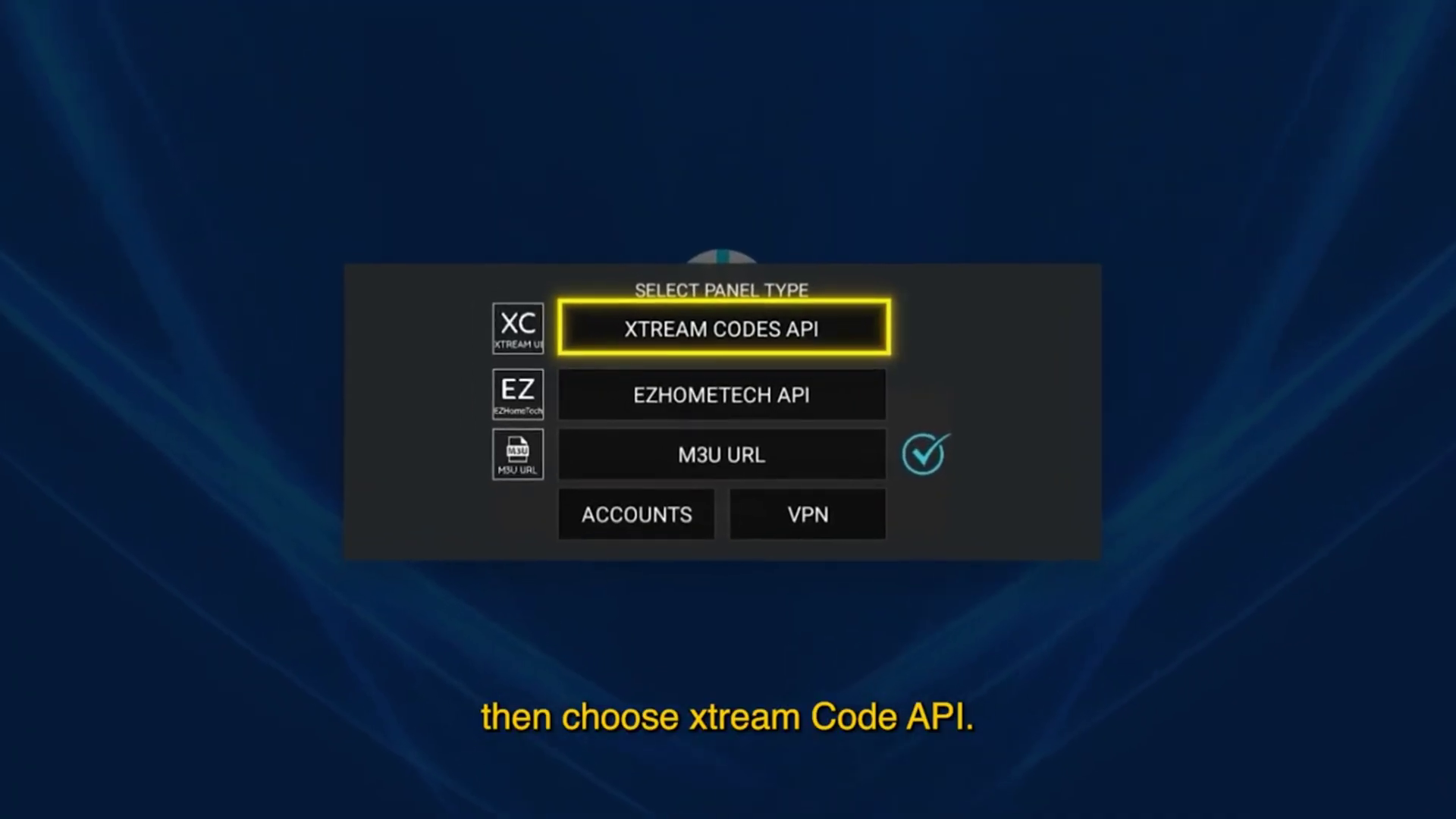
Choose Connection Type
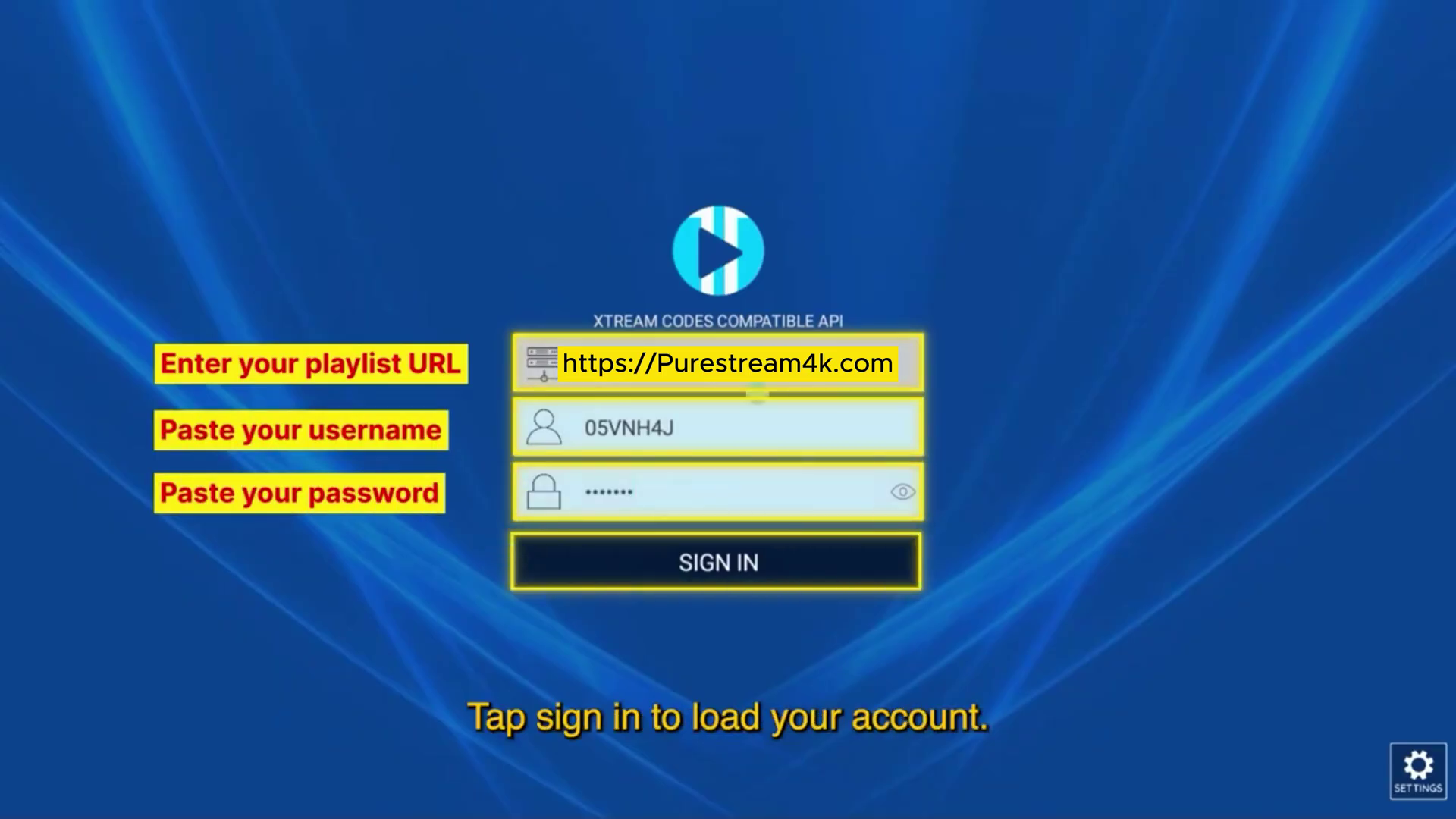
Open XCIPTV and select 'XTREAM CODES API'. This is the most reliable method for Opplex TV users.
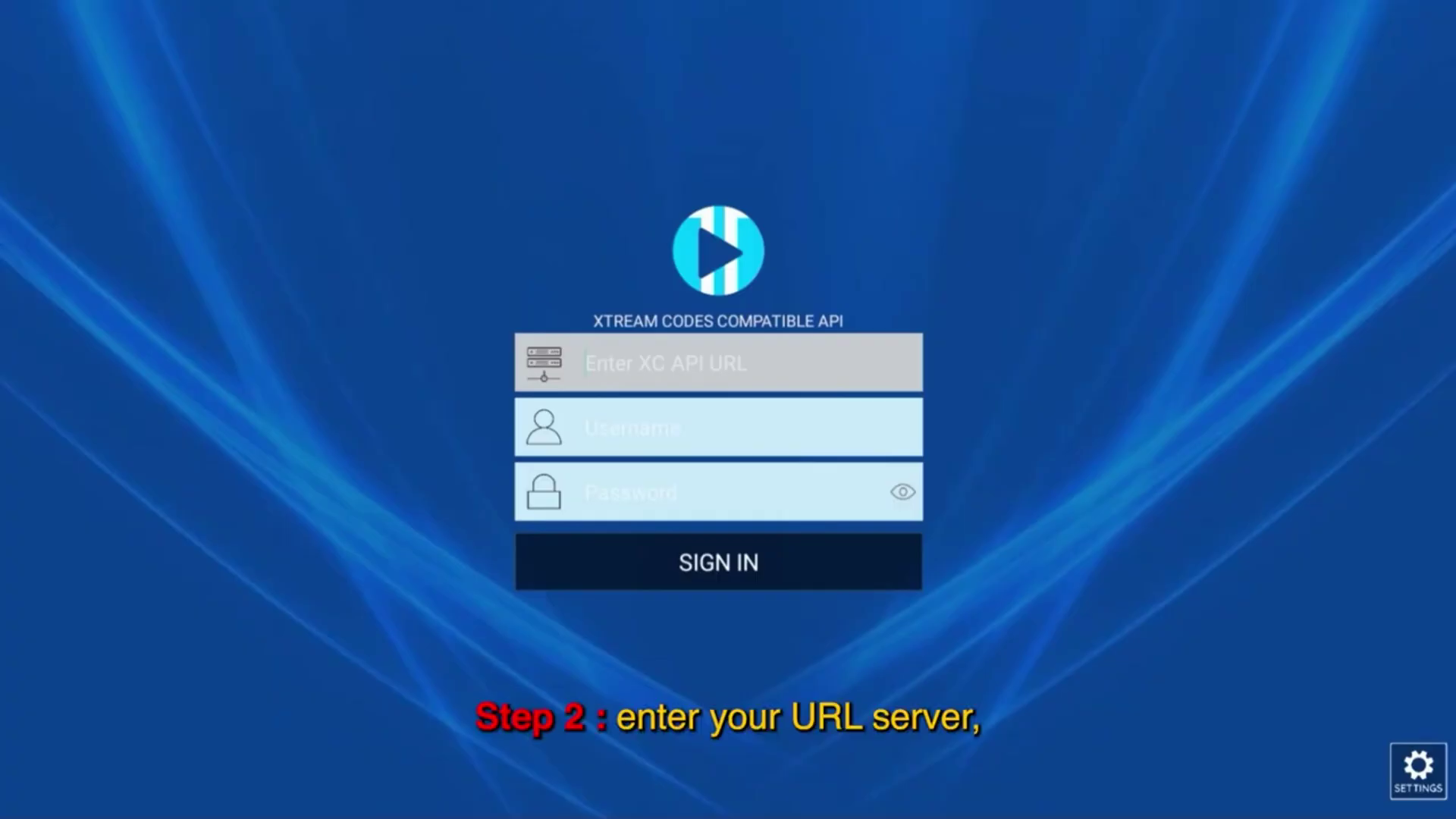
Enter Server Address
Enter our official server URL: http://otv.to/. This connects you directly to our high-speed local Pakistani gateways.
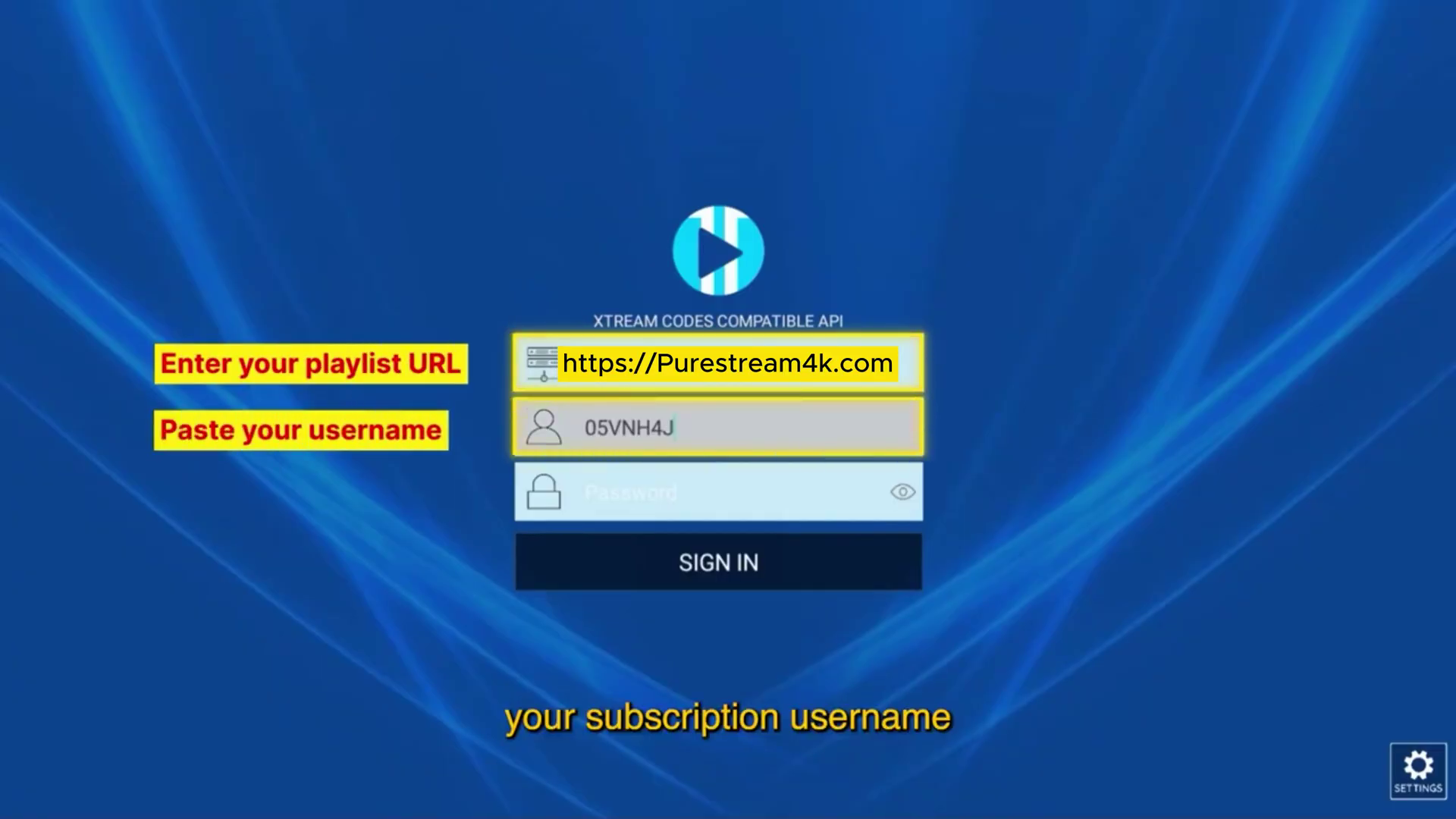
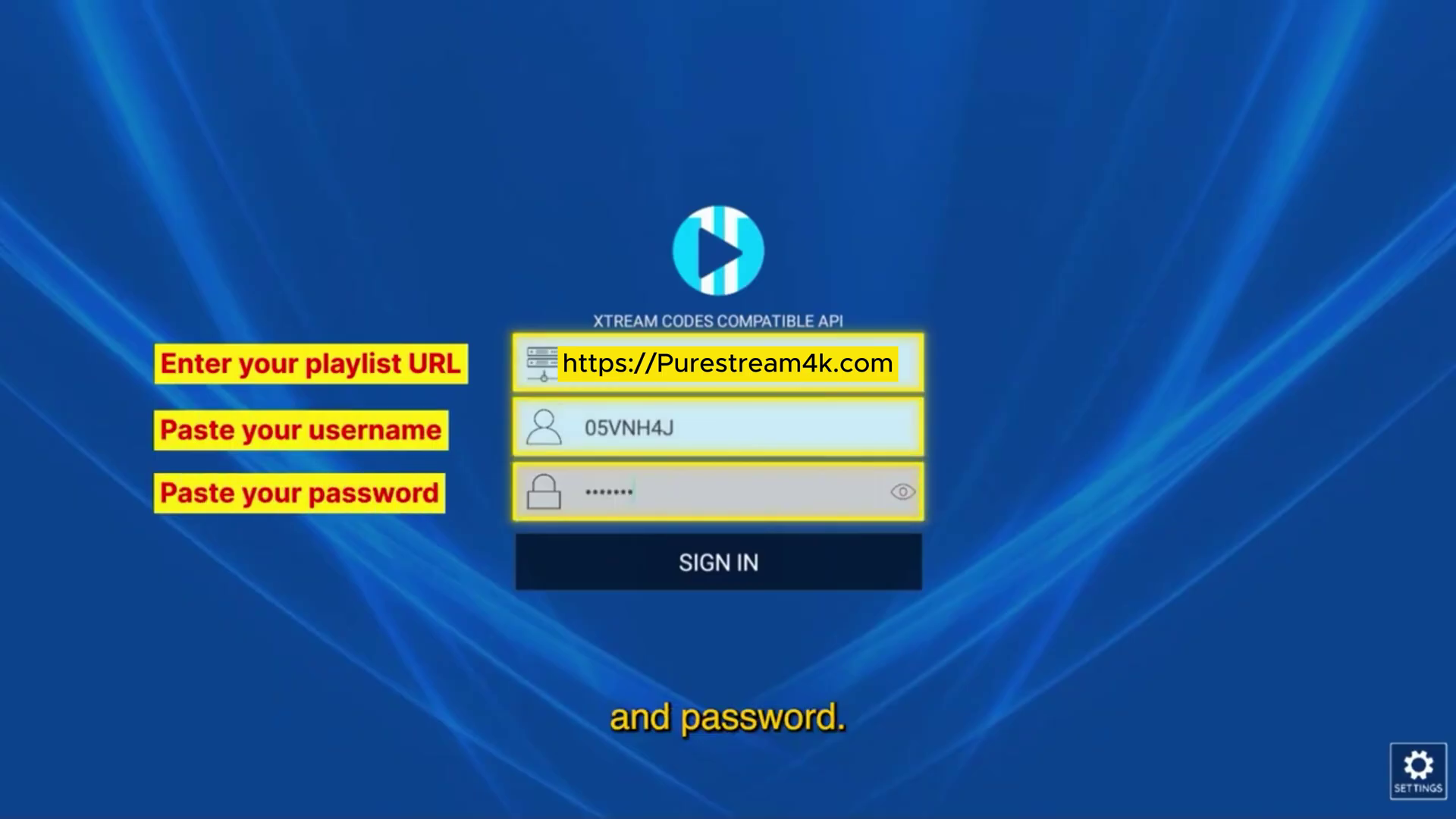
Credentials Input
Carefully paste your Username and Password provided in your Opplex TV activation message.
Loading Your Media
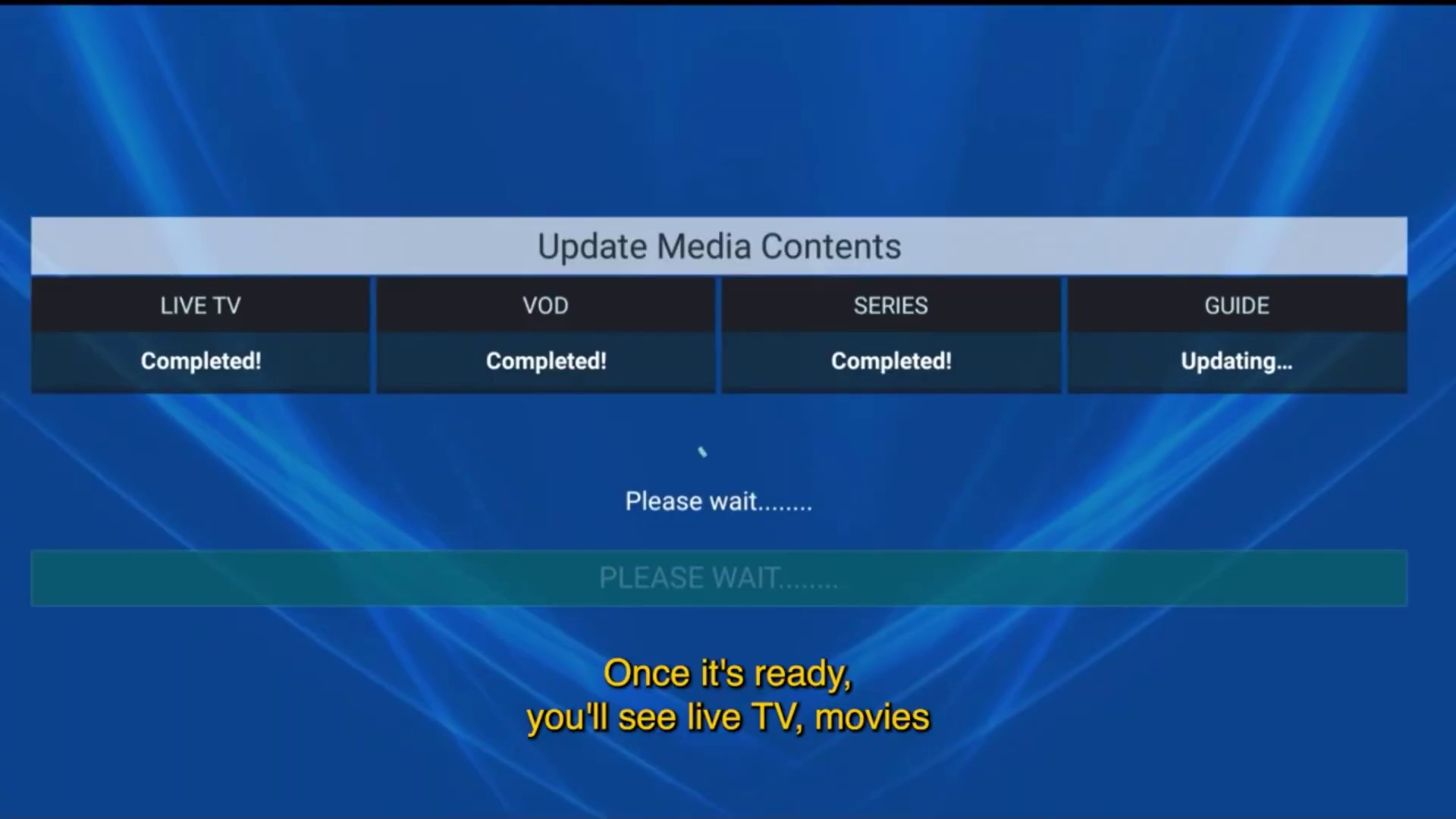
Click 'Sign In'. The app will now sync our 15,000+ Live Channels, VODs, and Series categories.
Ready to Stream
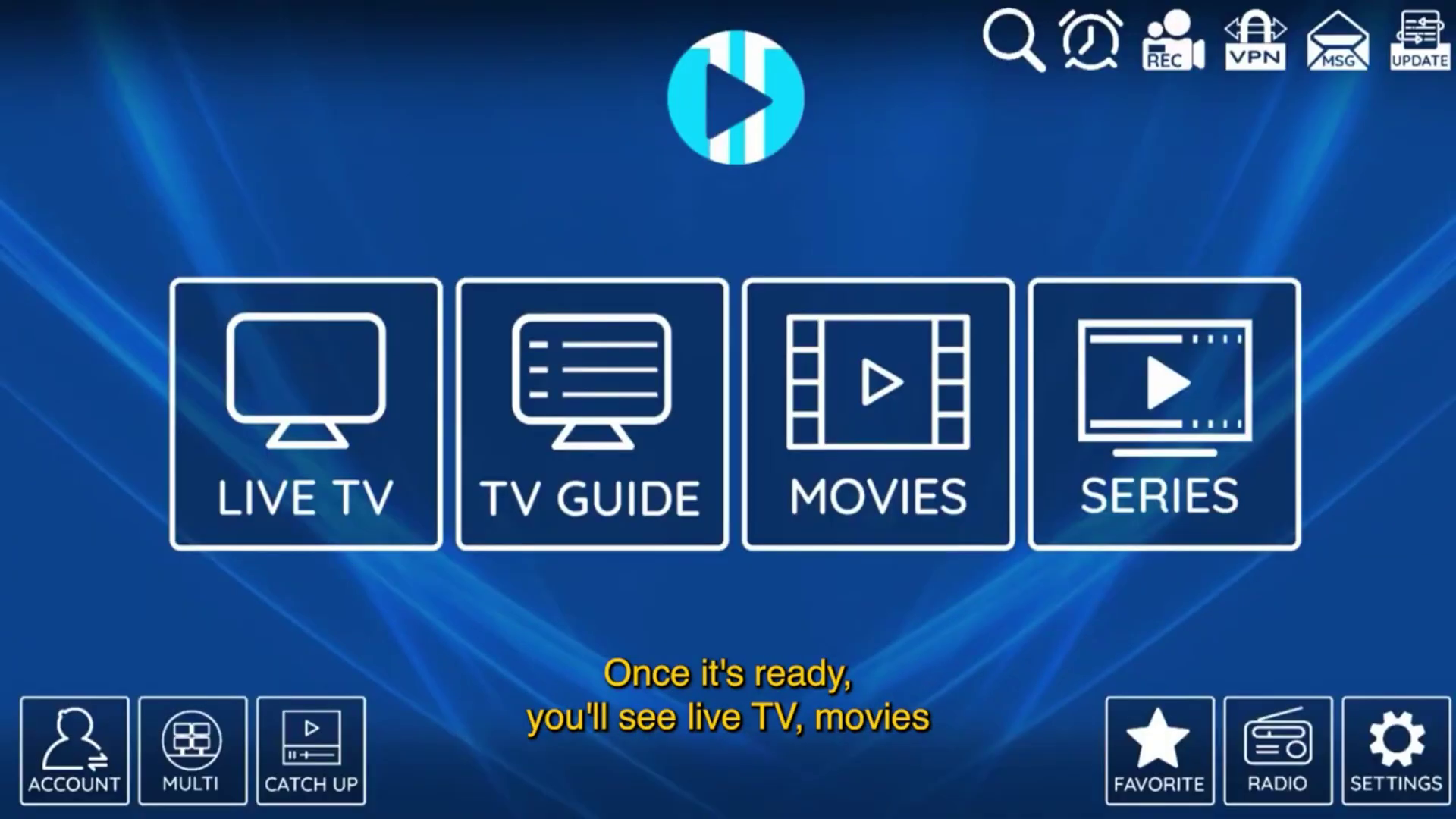
Your dashboard is ready. You can now access Live TV, Movies, and Series with zero buffering.
XCIPTV vs Televizo: Which is better for Opplex TV?
While Televizo is excellent for mobile devices and low-spec Android boxes due to its lightweight nature, XCIPTV is the king of Android TV and Firestick. It offers a more visual experience that is easier to navigate with a remote control. For devices like the Mi Box, Nvidia Shield, and high-end Sony or Samsung Smart TVs, XCIPTV's hardware acceleration allows for smoother frame rates in 4K HDR content. If you prefer a 'Netflix-style' interface, XCIPTV is the winner. However, for sheer speed on older devices, Televizo remains a strong contender.